
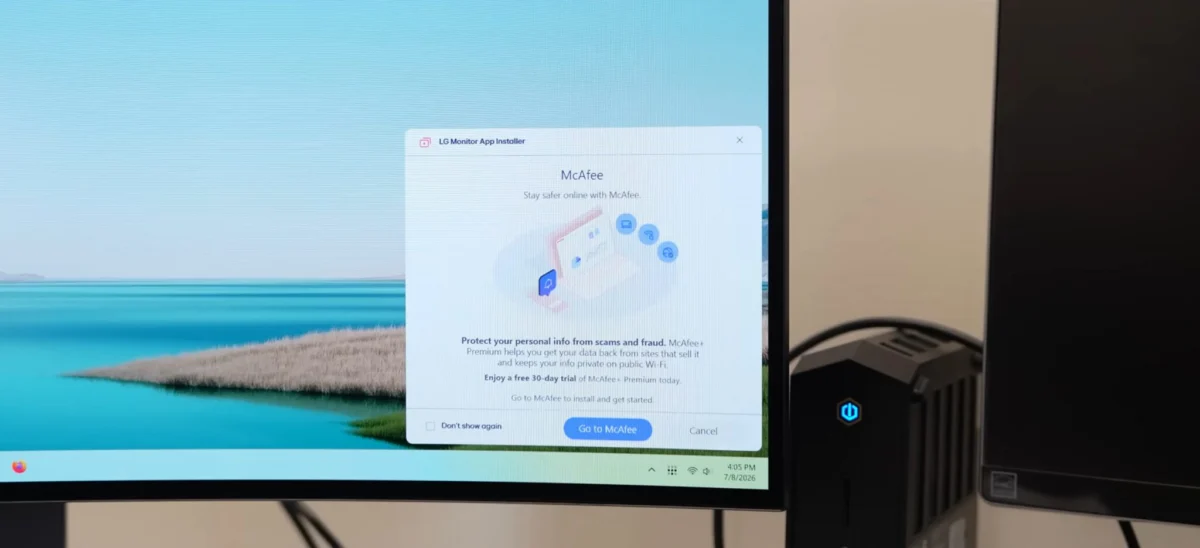
The discovery of the LG Monitor App Installer being automatically pushed to Windows systems without explicit user consent has ignited a firestorm of criticism regarding the intersection of hardware peripherals and software bloatware. Users who have invested significant capital—in some cases exceeding $1,000—in high-end LG displays are reporting that their computers are silently downloading and installing an application that not only introduces unwanted advertisements but also demands extensive system-level permissions. This practice, facilitated by existing mechanisms within the Windows operating system, has reignited long-standing debates about user agency, digital privacy, and the boundaries of manufacturer-installed software.
The issue first gained significant traction following investigations by tech-focused outlets, most notably Gamers Nexus, which highlighted how the LG Monitor App Installer appears on systems via Windows Update. For many, the installation process occurs in the background, circumventing any clear notification or permission prompt. This lack of transparency has led to widespread frustration, particularly among professional users and enthusiasts who prioritize a clean, secure computing environment.
The Scope of Privacy Implications
At the heart of the controversy is the nature of the permissions requested by the LG Monitor App Installer. Once installed, the application grants itself broad access to system resources. According to security analysts, including those cited by investigative reports, the app is technically capable of harvesting a vast array of sensitive user data. This includes, but is not limited to, geolocation, detailed device hardware information, browsing and online activity logs, contact lists, and even user credentials or transaction data.
For a consumer who purchased a monitor primarily for its display quality and performance, the revelation that a piece of peripheral-management software is capable of data harvesting represents a significant breach of trust. The inclusion of advertisements within this software further complicates the issue. Users are effectively being subjected to marketing content on hardware for which they have already paid a premium, leading to questions about the business model behind these forced installations.
The Mechanism of Silent Installation
The technical foundation for this practice lies in the Universal Windows Platform (UWP) and the way Microsoft handles device-specific applications. Under current Microsoft developer guidelines, hardware vendors are permitted to configure their companion apps to install automatically when a device is connected to a PC, provided the user has not disabled "Recommended Settings" during their initial Windows setup and is actively connected to the internet.
Microsoft’s own documentation for developers acknowledges the controversial nature of this feature. A support page explicitly warns developers: "The automatic installation feature does not provide a notification to the user when the app is installed. Some users may find this experience confusing and frustrating and give your app a bad rating." Despite this internal acknowledgment of potential user dissatisfaction, the framework remains active, allowing manufacturers like LG to treat their monitors as gateways for software distribution.
The description of the LG Monitor App Installer on the Microsoft Store states that the primary purpose of the software is to help users "easily install and use apps supported by your monitor." Notably, the store listing mentions third-party software, such as McAfee, as being among the programs pushed through this portal. This suggests that the installer functions as a distribution hub for third-party commercial partnerships rather than a strictly functional driver or calibration tool for the monitor itself.
Chronology of Reported Incidents
While the recent surge in reports has brought the issue to the forefront of the tech community, evidence suggests that this practice is not a sudden development. Users have noted the presence of this software on their systems for several years. Recently, the scope of these installations seems to have expanded, with reports indicating that even owners of monitors purchased three years ago are now receiving the pop-up ads and installation prompts.
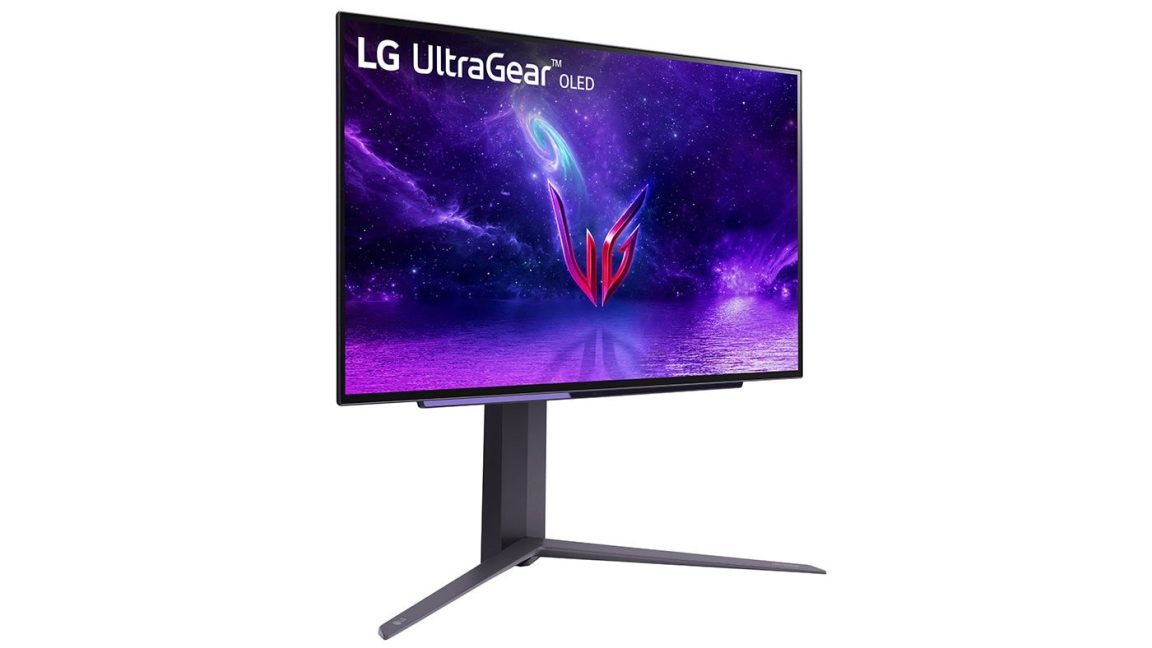
The timeline of concern appears to correlate with the increased aggressive push of Windows-based "experience" applications. As hardware manufacturers seek to deepen their integration with the Windows ecosystem, the line between essential drivers and intrusive marketing software has blurred. For many affected users, the realization that their monitor—a device that historically functioned through simple plug-and-play standards—has become a vector for advertising has prompted a push for greater transparency from both LG and Microsoft.
A Pattern Across the Hardware Industry
LG is not the first hardware manufacturer to face scrutiny for the deployment of bloatware. The industry has seen a long string of similar controversies involving major players in both the gaming and professional hardware sectors. Razer, for instance, has faced significant pushback for its tendency to prompt the installation of its Synapse software upon the connection of gaming peripherals. Similarly, Logitech has been criticized for forcing users to manage a suite of apps for devices that arguably require minimal software overhead.
The trend extends to core hardware components as well. ASUS and Gigabyte have both been highlighted in the past for motherboard software that installs auxiliary applications without clear opt-in procedures. These practices are often justified by manufacturers as a means to improve the "user experience" by providing firmware updates, lighting control, or performance optimization tools. However, the consistent pattern of bundling these tools with data-harvesting or advertising modules has led to a growing consumer movement to block these automated installs via BIOS settings or group policy restrictions in Windows.
Industry Response and Lack of Transparency
In response to the growing wave of complaints, many organizations have sought clarity from LG. When reached for comment regarding the specific purpose of the LG Monitor App Installer, the list of affected hardware models, and the justification for such invasive privacy permissions, LG representatives acknowledged the inquiry but declined to provide a substantive response prior to the publication of these reports.
This silence has only served to heighten the frustration of the user base. Without an official statement clarifying whether the data collection is intended for telemetry, marketing, or other purposes, users are left to infer the worst-case scenarios regarding their digital privacy. The lack of an opt-out mechanism that is easily accessible or clearly explained during the monitor’s setup process remains a primary pain point for those seeking to protect their system integrity.
Implications for Future Hardware Standards
The incident raises fundamental questions about the direction of peripheral software management. If a monitor—a device that acts solely as an output display—can be used to push software and collect user data, the security perimeter of the modern desktop computer is significantly weakened. This scenario creates a "trusted peripheral" paradox, where hardware that is assumed to be benign is granted system-level access that can be exploited by the manufacturer or potentially intercepted by malicious actors.
For enterprise users, this represents a significant compliance concern. Organizations that invest in high-end LG displays for office environments may find their internal security policies violated by the automatic installation of software that siphons company data or introduces unauthorized third-party binaries. The need for a more granular, opt-in-only model for hardware companion apps has never been more apparent.
As it stands, the responsibility for mitigating these installations currently rests with the end user. Experts recommend that PC owners check their installed applications list for "LG Monitor App Installer" or similar entries, uninstall them, and review their Windows Update settings. Additionally, users are encouraged to monitor their background processes and use network monitoring tools to detect if their display hardware is making unauthorized calls to external servers.
The silence from the manufacturer and the continued permissive stance of the Windows ecosystem suggest that this conflict is likely to persist. Until there is a regulatory shift or a fundamental change in how Microsoft allows hardware vendors to interface with the operating system, users must remain vigilant about what is being installed under the guise of "recommended software." The case of the LG Monitor App Installer serves as a stark reminder that in the modern digital landscape, hardware ownership does not always guarantee control over the software environment that runs on the user’s personal machine. As consumers continue to voice their dissent, the pressure on manufacturers to adopt more transparent and ethical software practices will likely intensify, potentially forcing a reevaluation of how companion apps are delivered and managed in the years to come.