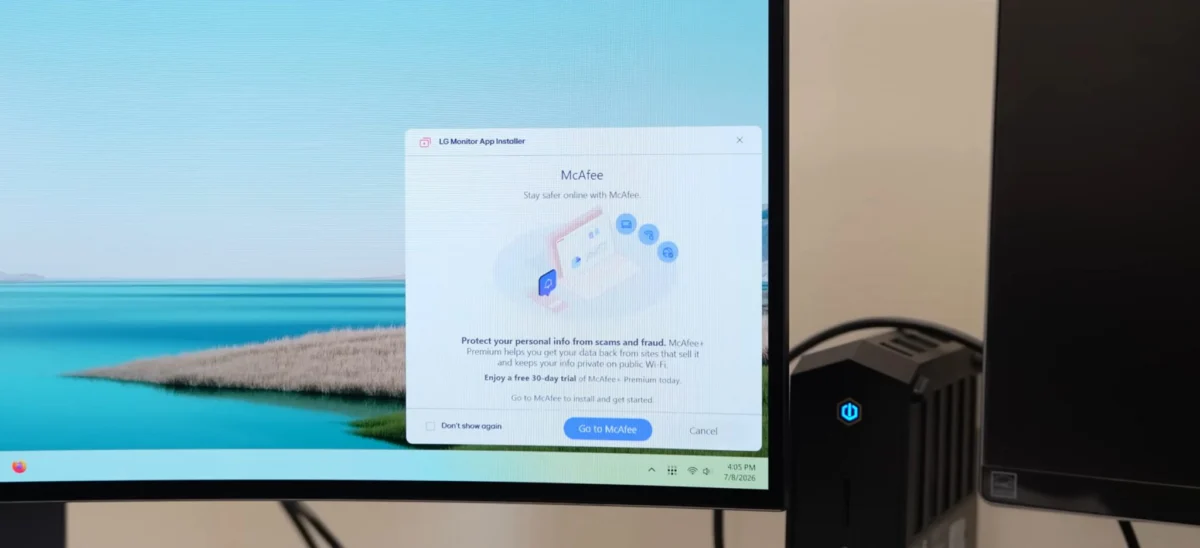
Recent reports have surfaced detailing a troubling trend for owners of premium LG computer monitors: the automatic and unprompted installation of the LG Monitor App Installer. Users have discovered the software running on their Windows-based systems without any explicit authorization, notification, or installation prompt. This development has triggered a wave of criticism from the technology community, as owners of high-end displays—some costing upwards of $1,000—find their machines burdened with software they did not request and potentially invasive background processes.
The discovery, brought to broader public attention by tech analysis outlet Gamers Nexus, highlights a growing friction point between hardware manufacturers, operating system developers, and end-user privacy expectations. While the practice of "bloatware" is not new, the manner in which this specific installer gains access to user systems—leveraging Windows Update protocols—raises significant questions regarding the transparency of peripheral management in modern computing environments.
The Mechanism of Silent Installation
The LG Monitor App Installer is not a standalone piece of software but acts as a gateway for additional applications. According to the Microsoft Store description, the tool is designed to help users "easily install and use apps supported by your monitor," which includes third-party software such as McAfee security suites.
The underlying mechanism facilitating this is a feature within the Universal Windows Platform (UWP) known as "Device Apps." Microsoft’s documentation for developers explicitly permits hardware manufacturers to trigger the automatic installation of companion apps when a device is connected to a PC. Provided the user has not explicitly disabled "Recommended Settings" during their initial Windows installation and is connected to the internet, these apps can download and install silently in the background.
Microsoft’s own developer guidelines acknowledge the potential for user friction, stating, "The automatic installation feature does not provide a notification to the user when the app is installed. Some users may find this experience confusing and frustrating and give your app a bad rating." Despite this internal recognition, the policy remains a standard feature of the Windows ecosystem, allowing manufacturers to bridge the gap between hardware connectivity and software-based feature sets without formal user interaction.
Privacy and Resource Concerns
The primary concern among users and security researchers is not merely the presence of the installer, but the broad permissions it demands. Security analysts, including those who have performed deep-dive investigations into the application’s telemetry, have noted that the installer functions with significant system-level access.
Once active, the software technically possesses the authority to leverage system resources and, depending on the granular permissions granted within the app’s internal manifest, may be capable of accessing geolocation data, specific device telemetry, online activity logs, contact lists, and, in some configurations, user credentials and transaction history. While LG has not detailed the specific data points it collects via this installer, the breadth of access requested by such applications often exceeds what is necessary for the basic calibration or color management of a computer monitor.
For a consumer who has invested in a high-performance, professional-grade display, the intrusion is viewed as a breach of the implicit trust between the manufacturer and the user. The "silent" nature of the deployment is particularly concerning, as it leaves users unaware of what data is being transmitted to company servers or why their system performance might be impacted by background tasks associated with their monitor.
Historical Context and Industry Precedent
LG is not the first hardware vendor to face criticism for the aggressive deployment of companion software. The practice of "auto-installing" utilities—often categorized as bloatware—has been a subject of debate for over a decade.
In the gaming peripheral space, Razer and Logitech have faced significant community backlash for prompting or forcing the installation of proprietary software suites (such as Razer Synapse or Logitech G Hub) that require user accounts and constant background monitoring. Similarly, motherboard manufacturers like Asus and Gigabyte have been criticized for embedding software that automatically triggers installation routines upon a fresh Windows install, often including performance-tuning tools that are frequently flagged by security researchers for vulnerabilities or unnecessary resource consumption.
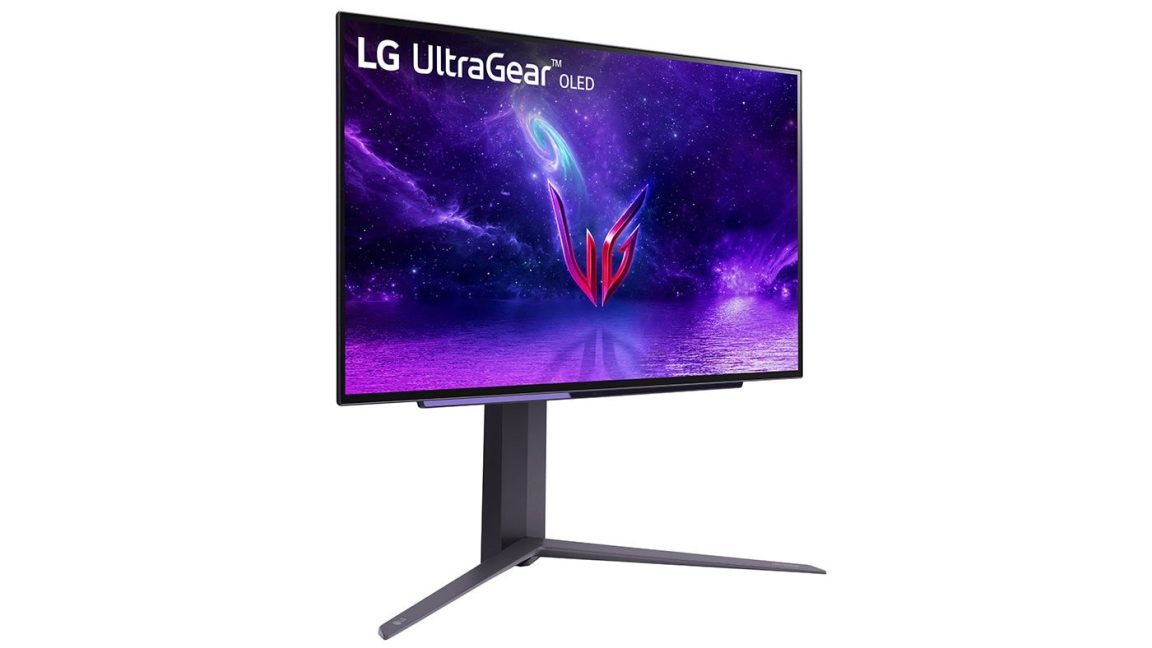
The LG incident, however, carries a different weight. Monitors are generally considered passive output devices. Unlike a gaming mouse or a motherboard that requires specific driver sets for macro-management or BIOS updates, a monitor typically functions via standard DisplayPort or HDMI protocols. The lack of a "functional necessity" for an app that installs third-party antivirus software makes the inclusion of the LG Monitor App Installer appear, to many, as an attempt to monetize the hardware user base through software distribution deals.
A Chronology of Complaints
The complaints appear to have reached a tipping point recently, though evidence suggests the practice has been occurring for several years.
- 2021–2023: Early anecdotal reports began appearing on enthusiast forums and Reddit regarding LG monitors "phoning home" or installing utilities after being connected to Windows PCs. These were often dismissed as isolated driver installations.
- Mid-2024: Increased scrutiny regarding Windows Update telemetry revealed that the LG Monitor App Installer was being pushed through the same update pipeline used for critical system security patches.
- July 2026: Gamers Nexus released a comprehensive report documenting the silent installation process, including screenshots showing the installer appearing in the Windows update history for users who had not manually initiated any such action.
- Current Status: Reports continue to surface, with users noting that even three-year-old monitors are now receiving these updates, suggesting a retroactive push by the manufacturer to standardize the presence of this software across their entire installed base.
Official Responses and Lack of Clarity
Ars Technica and other major tech publications have reached out to LG for a formal statement regarding the purpose of the installer, the criteria for selecting which monitors receive the update, and a clarification of the data collection policies associated with the software.
As of the current reporting, LG has acknowledged receipt of these inquiries but has refrained from providing a public-facing justification for the silent installation process. This silence has fueled further speculation regarding the business model behind the app, specifically the relationship between LG and third-party software partners like McAfee.
The Broader Impact on Windows Ecosystem
The incident highlights a fundamental flaw in how Windows handles peripheral integration. By prioritizing a "seamless" experience—where the user is theoretically saved from the hassle of manual driver and utility downloads—Microsoft has inadvertently created a pathway for vendors to bypass user consent for non-essential software.
For the enterprise and professional sectors, this presents a security challenge. IT departments that manage fleets of monitors must now consider the potential for unauthorized software to enter their network through hardware peripherals. If an app can automatically install and potentially access system resources, it creates a new vector for potential exploits or data exfiltration that security administrators must now mitigate.
Implications for Consumers
For the average user, the takeaway is a reminder of the lack of control over the modern "connected" peripheral experience. While manufacturers argue that these tools are intended to improve user experience—such as by providing easy access to firmware updates or color profile synchronization—the inclusion of unsolicited third-party software and the lack of transparency in the installation process undermine these claims.
Moving forward, the tech community is calling for greater transparency from both Microsoft and hardware manufacturers. This includes clear, opt-in prompts before any secondary application is installed, full disclosure of data collection practices, and the ability to completely decouple a device’s core functionality from its optional, cloud-connected software suite.
As the regulatory environment regarding data privacy continues to tighten in regions like the European Union and parts of the United States, practices that rely on silent, unprompted data collection or software installation may face increased scrutiny. Until then, users who wish to prevent these installations are advised to monitor their Windows Update history, check their installed applications list for "LG Monitor App Installer," and explore group policy settings that might limit the automatic installation of device-specific software.
The incident serves as a significant case study in the tension between hardware-as-a-service models and consumer sovereignty, raising the question of who truly owns the user experience on a computer: the person who paid for the hardware, or the company that provides the software ecosystem that hardware inhabits.